Navigation in China is easier when you prepare Chinese place names before you need them. English names are not always enough for taxis, stations, restaurants, and local map searches, and English map habits do not transfer cleanly because Google Maps does not work on the ground.
Navigation apps
Google Maps is blocked, and even with a VPN its position marker sits roughly 500 metres off because China uses a local coordinate system (GCJ-02) that Google does not follow. Its China data is also badly outdated — restaurants, new subway lines, and roads can be missing or wrong. Treat Google Maps as a pre-trip research tool only, never for on-the-ground navigation.
The two apps that work accurately in English:
- Apple Maps (iPhone): In mainland China it automatically runs on Amap’s data, in English, with no setup and no VPN. It is the easiest option for walking, driving, and basic transit, though it lacks some local detail and precise metro-exit guidance.
- Amap / Gaode (高德地图): The most accurate local app, with a full English interface since 2025 (switch it on under settings), English voice navigation, offline city maps, and a built-in translation chat for taxi drivers. Its transit and metro-exit routing are the best available. Install it before you fly; core navigation works without a Chinese phone number.
Baidu Maps is accurate but effectively Chinese-only, so most foreign visitors should skip it.
Save Chinese names and addresses even if your map app shows English, and keep screenshots for hotel addresses, station names, and attraction tickets.
Save Chinese names
Before each travel day, save Chinese names for:
- Hotel name and address.
- Airport and terminal.
- Railway station.
- Metro station.
- Attraction.
- Restaurant.
- Pickup point.
Large cities often have multiple stations with similar English names. For example, a city may have a main station, north station, south station, west station, and airport railway station. Always match the Chinese station name on your ticket.
Taxi and ride hailing
DiDi is the most useful standalone ride-hailing app for foreign visitors. Download DiDi China, the China version, rather than DiDi Rider, which primarily serves Latin America markets. The China app has an English interface, supports international mobile numbers and bank cards, and translates in-app messages between English and Chinese.
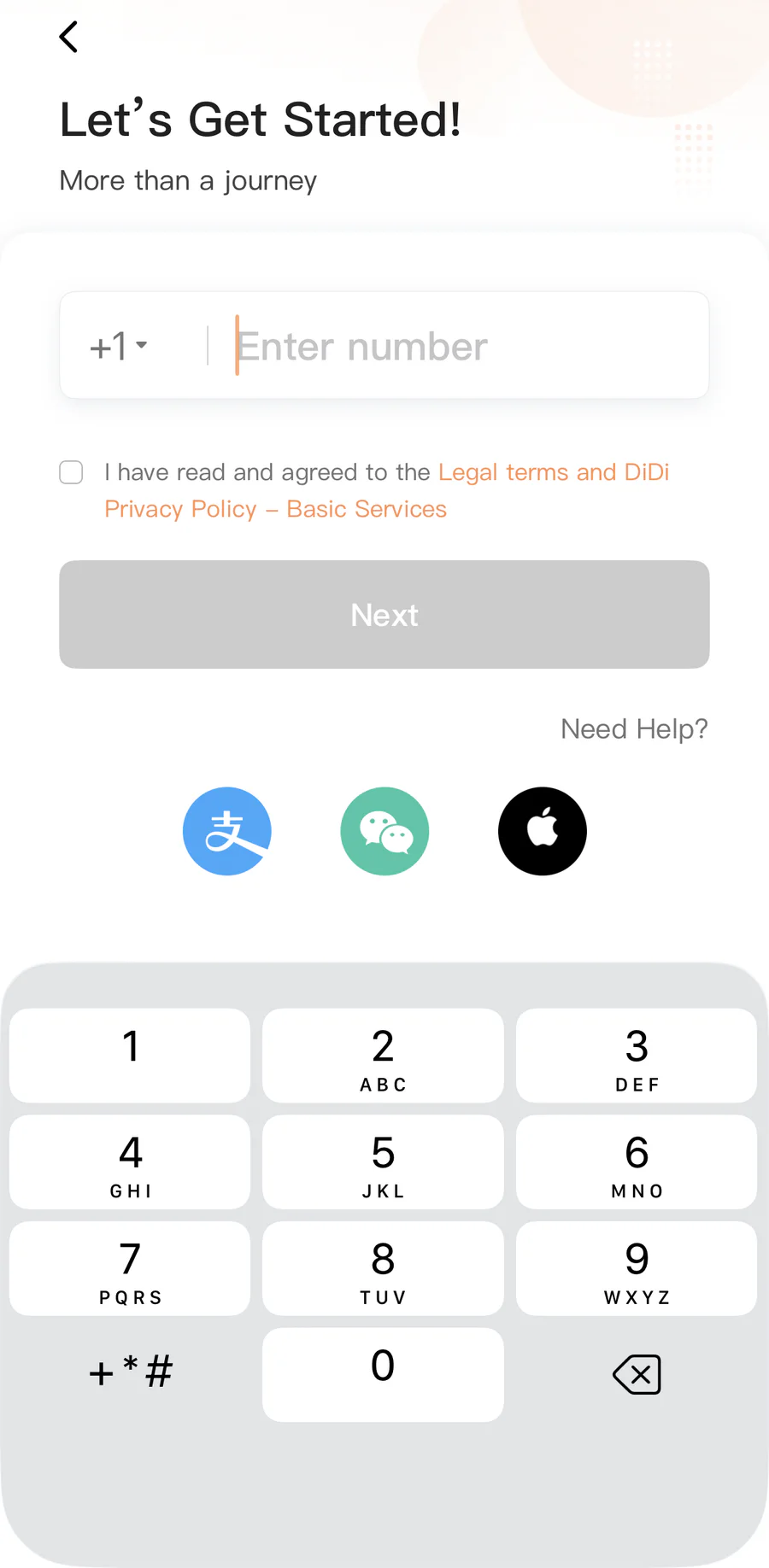
Set up DiDi
- Open the app and select Chinese mainland as the region.
- Register with the mobile number you will use in China. A foreign number works as long as it can receive the verification SMS.
- Allow location access while using the app. DiDi needs this to locate you and suggest pickup points.
- Switch the interface to English if it does not open in English automatically.
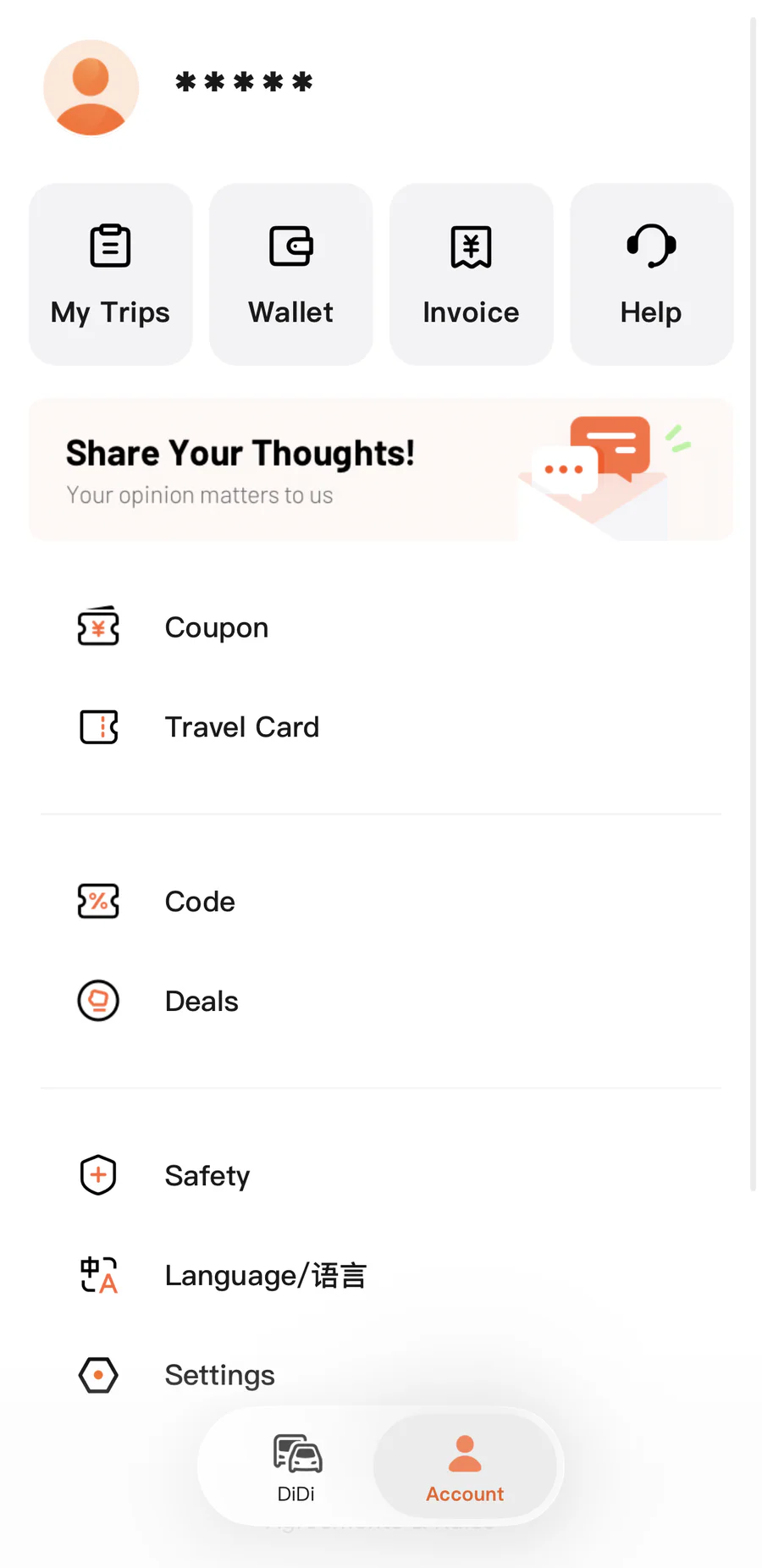
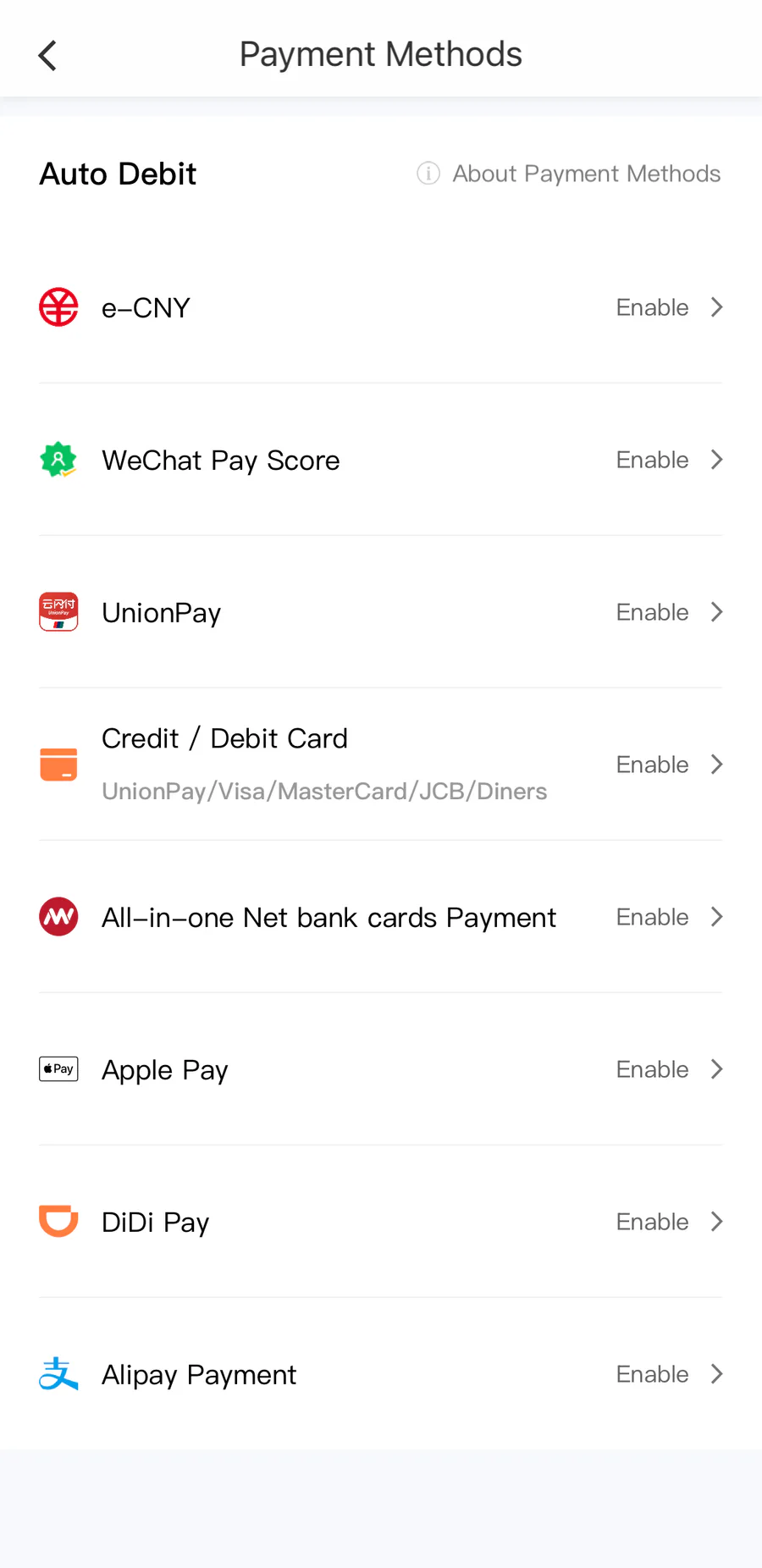
- Open Account, select Wallet, and enter Payment Methods.
- Choose Credit / Debit Card and add your international card. International cards generally work well in DiDi China. You can also enable Alipay, WeChat Pay, or Apple Pay where offered.
Set up and test the account before departure. You may not see nearby cars while you are outside China, but you can still confirm that registration, language, and payment settings are ready.
Request a ride
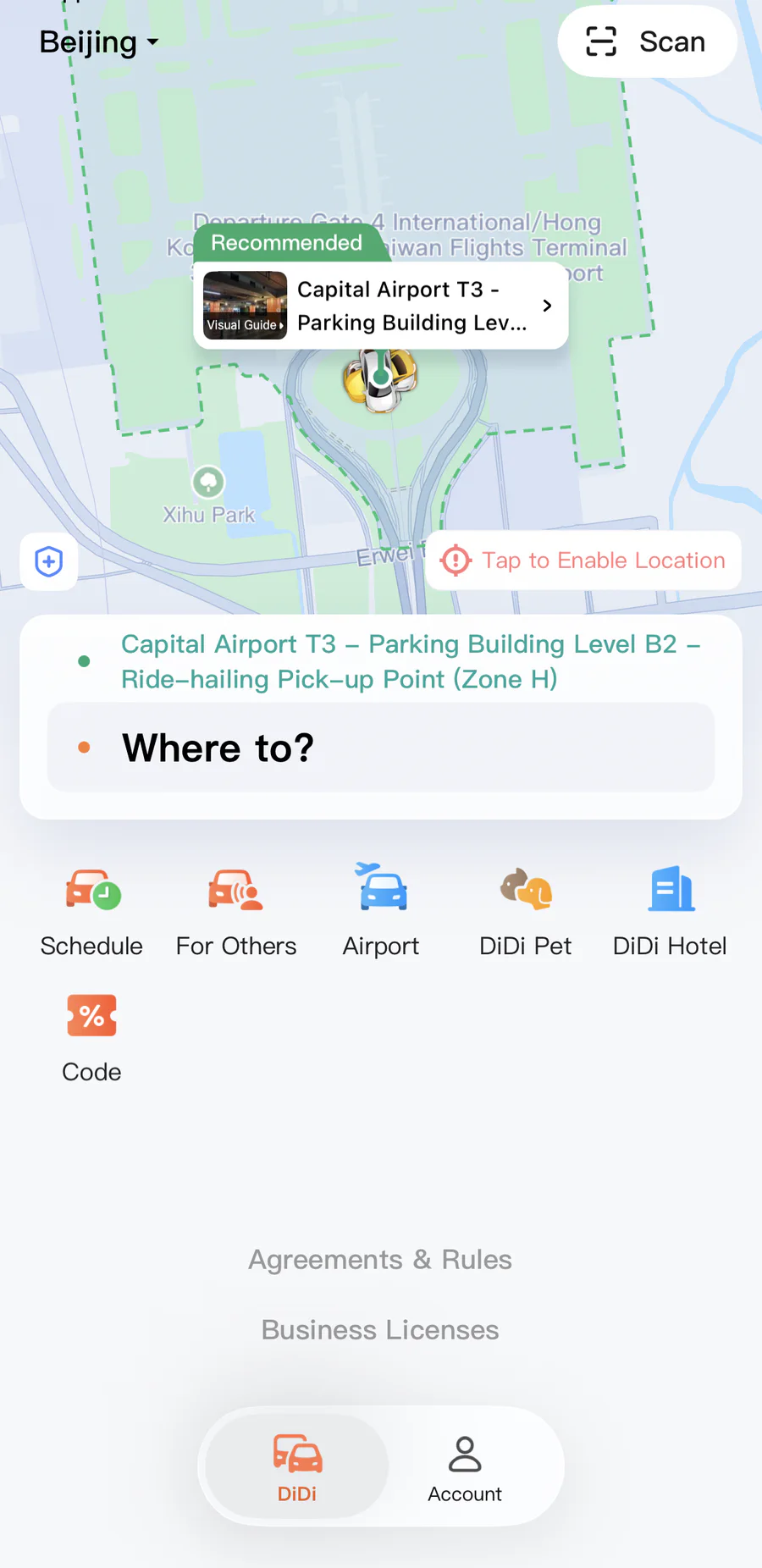
- Tap Enter Destination and search for the hotel, station, attraction, or Chinese address. English searches work for many major places, but the Chinese name is more reliable for small hotels and restaurants.
- Check the destination pin carefully. Different branches of the same hotel or attraction may share similar names.
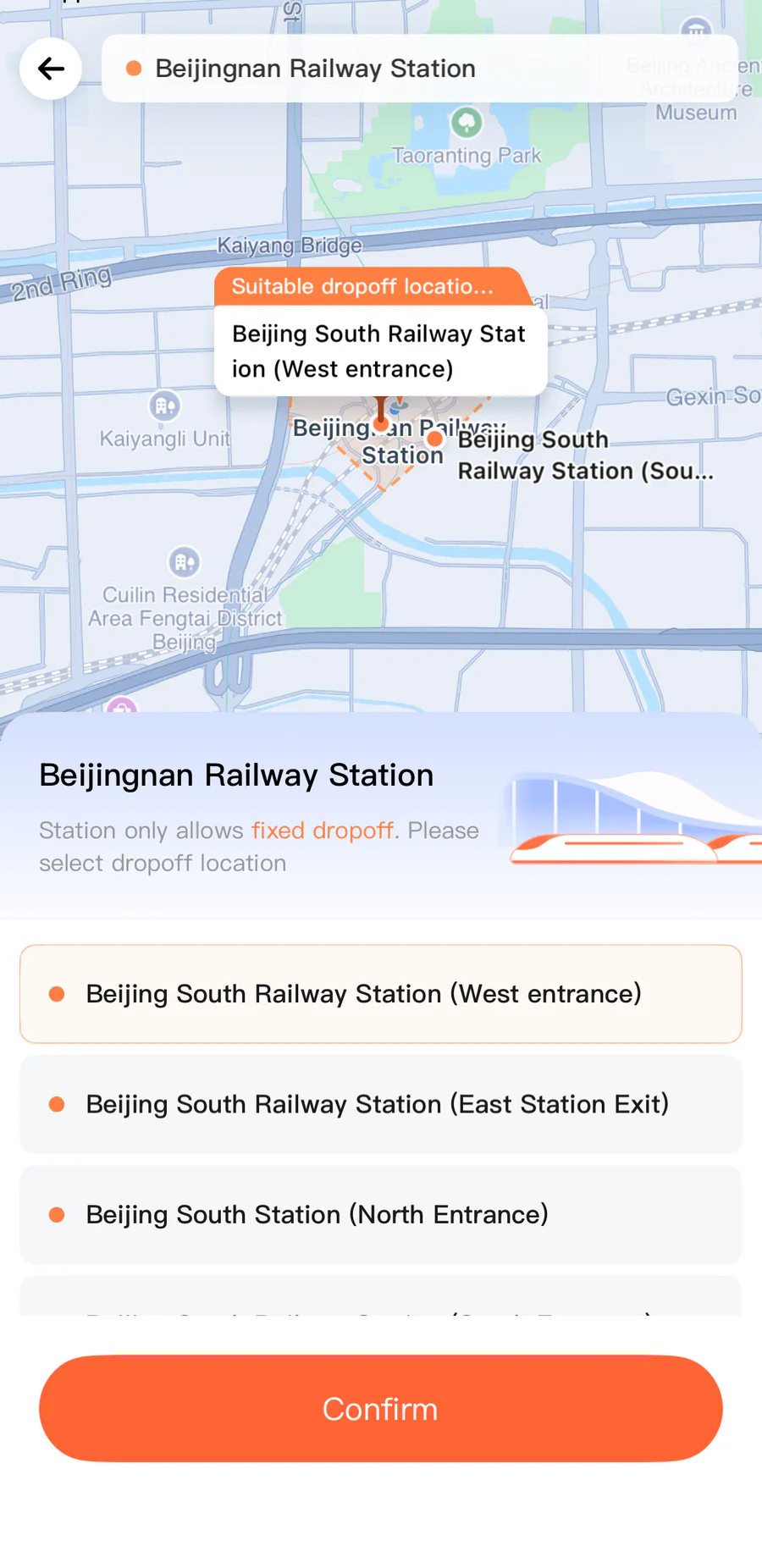
- Confirm the pickup point. At airports, railway stations, shopping centers, and scenic areas, follow signs to the designated ride-hailing pickup zone before placing the order.
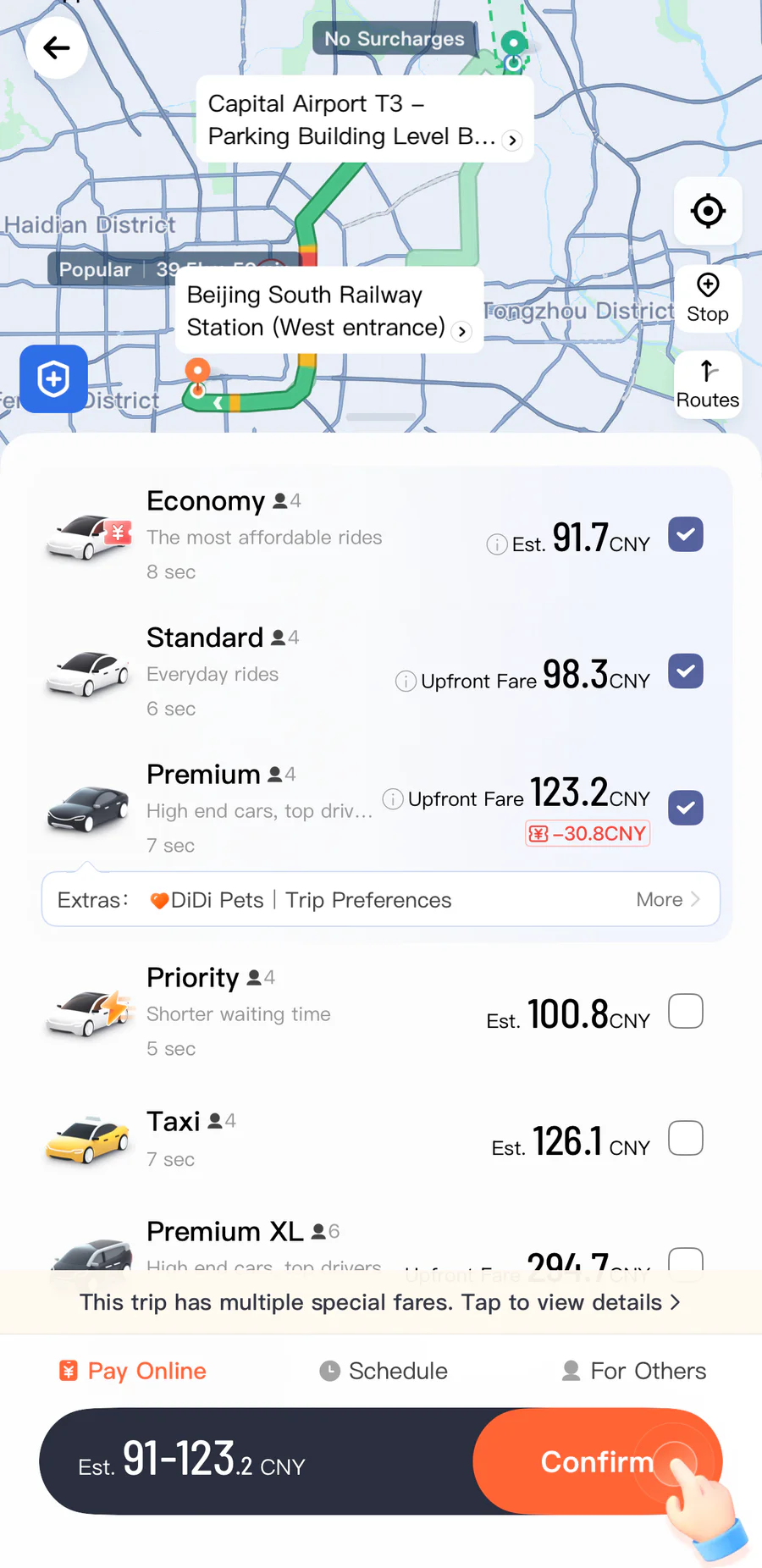
- Select a vehicle category. The app shows an estimated fare and waiting time. Choosing more than one eligible category can find a car faster.
- Tap Confirm Request and wait for the app to assign a driver.
Meet the driver and pay
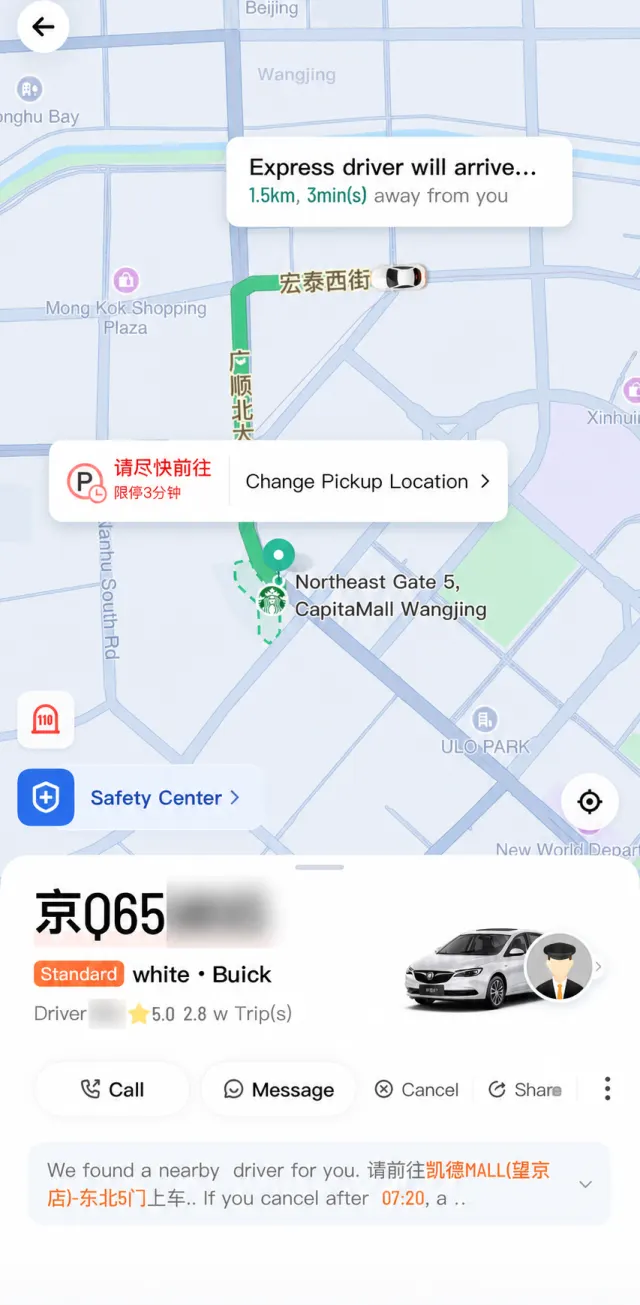
- Match the license plate in the app before entering the car.
- The driver may ask for the last four digits of your registered phone number as the ride verification code.
- Use Message instead of calling when possible. The in-app chat translates between English and Chinese.
- Follow the route and arrival estimate in the app. Tolls, waiting time, or a changed destination can alter the final fare.
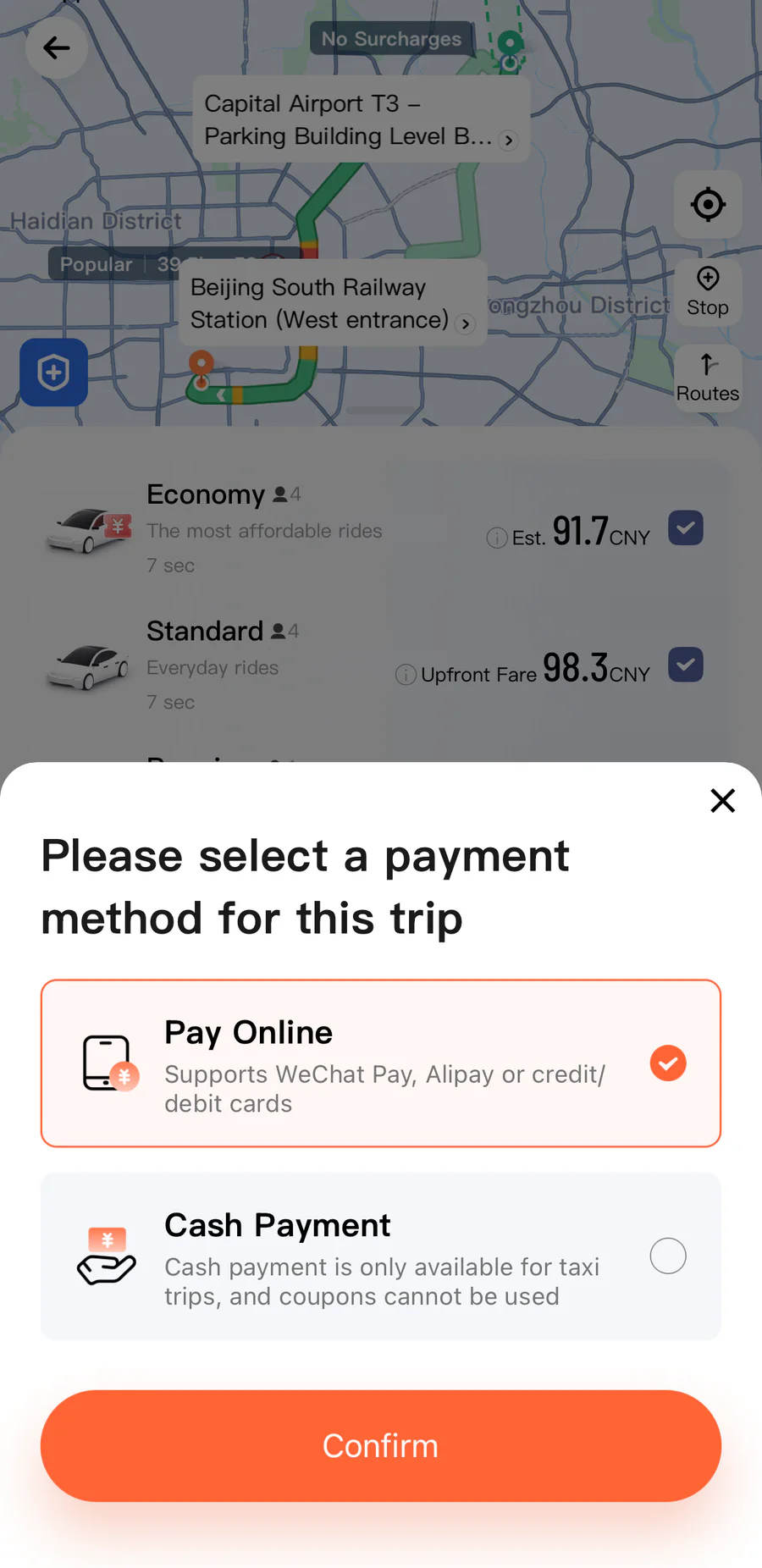
- Payment is completed in the app. Check the selected payment method before requesting the ride and review the fare breakdown afterward.
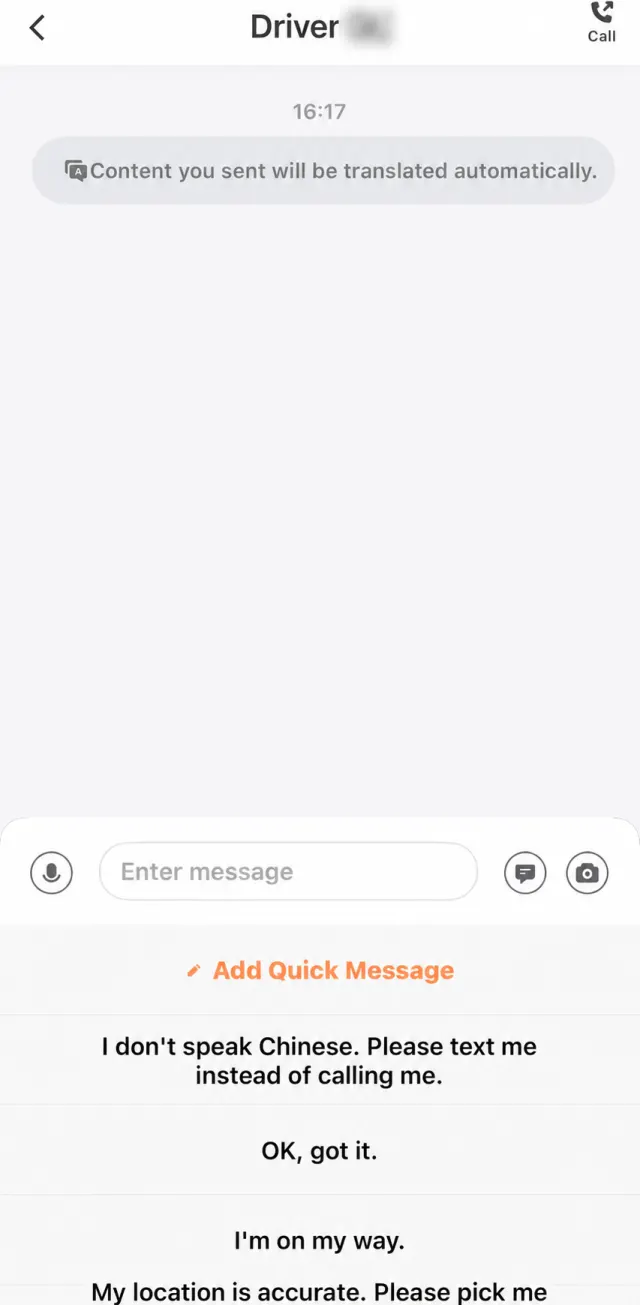
Airports and large railway stations
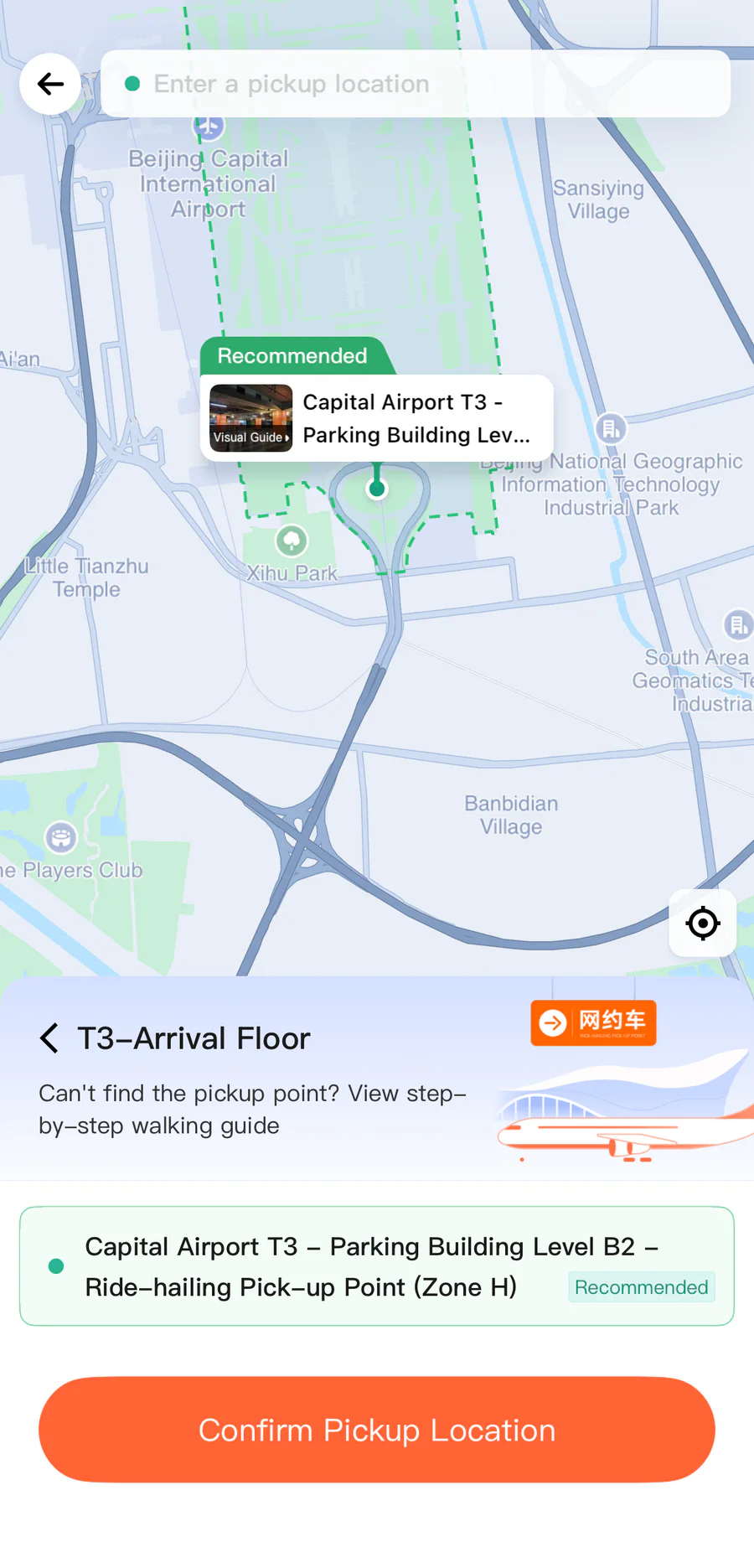
Do not place the pickup pin at the terminal door unless the app specifically allows it. Major hubs often separate taxis, private cars, and app-based ride hailing by floor, parking building, zone, or station entrance. DiDi normally presents the permitted options after you choose the airport or station.
At supported airports, select the terminal and arrival area, accept the recommended ride-hailing point, and open Visual Guide or Video Guide. The guide can start from your exact arrival gate and show the indoor walk to the pickup zone. Follow the airport signs as well as the app, since the driver can only wait in the designated area.
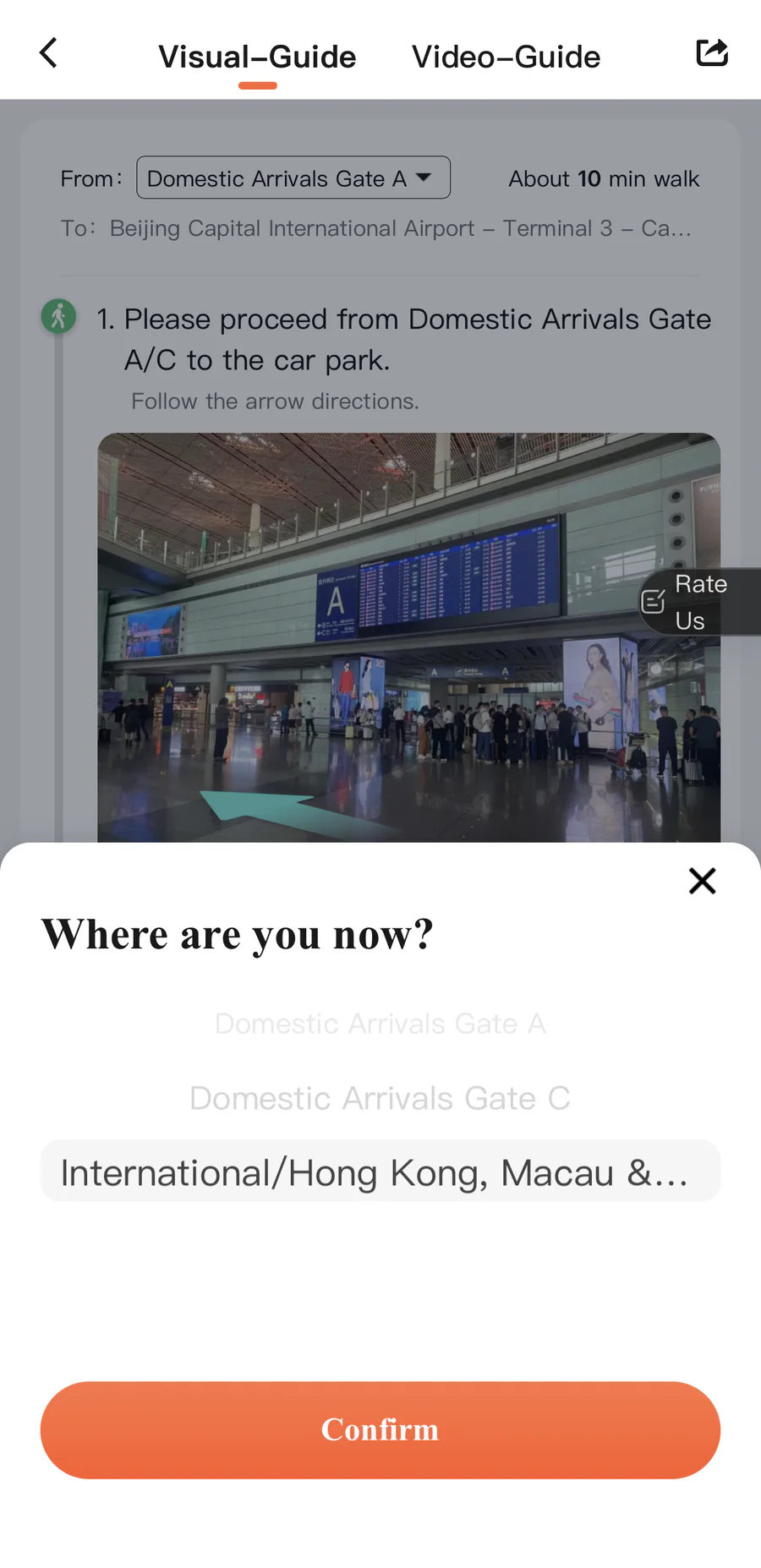
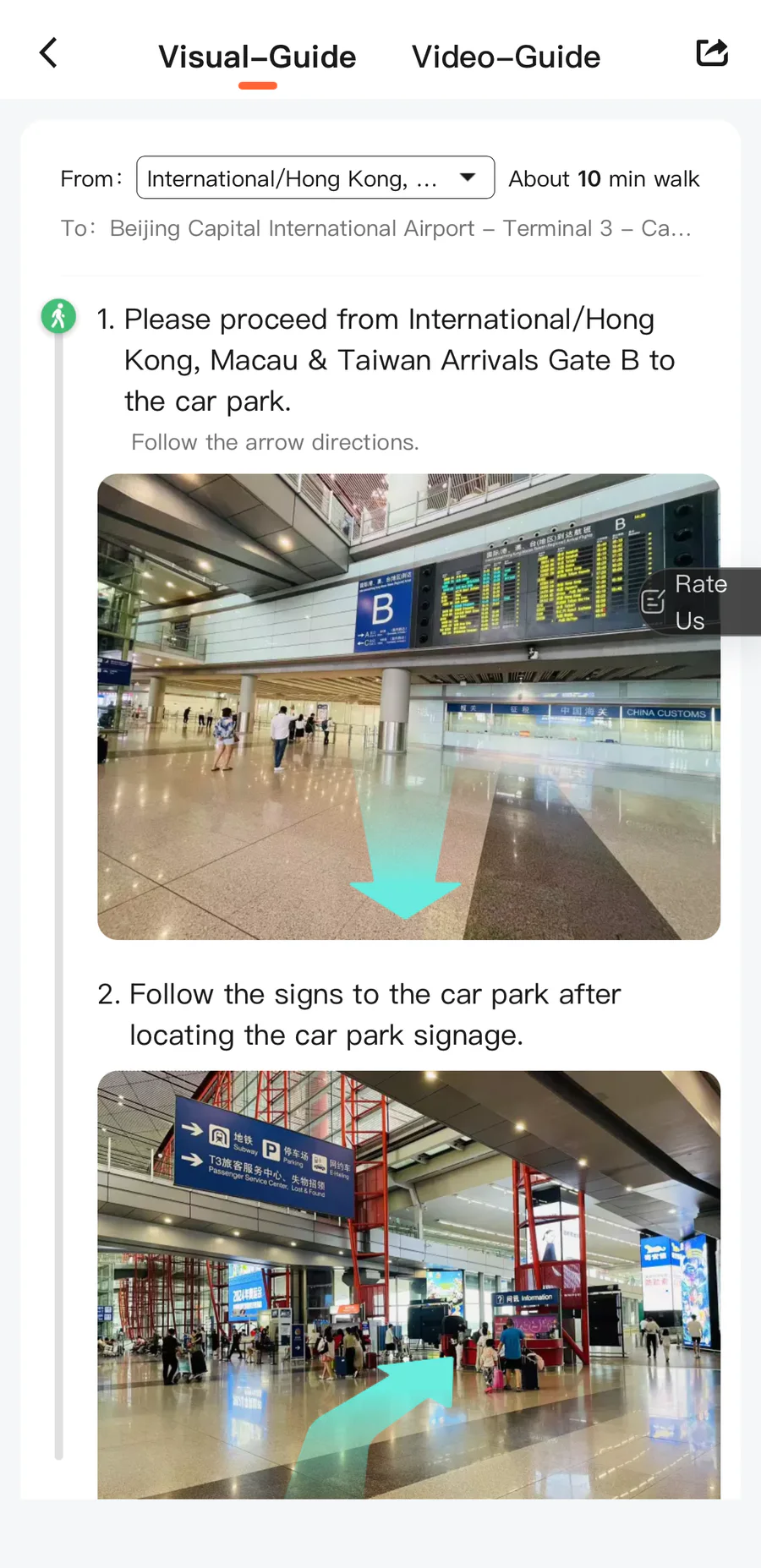
DiDi is also available as a mini program inside Alipay and WeChat. These are useful backups, while Amap’s Ride function can compare several ride-hailing providers in one request.
Practical tips:
- Use the Chinese destination name.
- Confirm the pickup point before requesting a car.
- At malls, airports, train stations, and attractions, walk to the official pickup area.
- Check the license plate before getting in.
- Do not assume the driver can read English place names.
If you take a street taxi, show the destination in Chinese. A hotel address card or saved screenshot is often better than trying to pronounce the address.
Planning a rural road trip? Read Rent a Car and Drive in China for provisional driving permits, rental requirements, tolls, parking, and accident procedures.
Metro and buses
In major cities, metro systems are usually the most predictable way to move around. They avoid traffic and connect airports, train stations, business districts, and major sights.
Payment options vary by city, but common methods include:
- Buying a single-journey ticket from a machine.
- Using a transport card.
- Using a transit QR code inside Alipay or WeChat.
- Using contactless cards or mobile wallets where supported.
In most large cities the transit QR code inside Alipay or WeChat works directly with an international card. If it asks for identity verification or does not work with your card, buy a ticket from the machine or service counter, and keep a small cash backup for this.
Check the last train time if you will be out late. Some airport and suburban metro lines end earlier than central lines.
Railway stations and airports
Navigation mistakes are most costly on train and flight days. China has many large transport hubs, and some cities have multiple major railway stations.
Before travel day:
- Check the exact Chinese station or airport name.
- Check terminal information.
- Save the address and route offline.
- Leave extra time for security checks.
- Keep your passport easy to access.
For high-speed rail, train numbers matter more than destination names. Many trains stop at the same cities, so match the train number, station, date, and departure time.
What to prepare offline
Keep these items available without mobile data:
- Hotel name, address, and phone number in Chinese.
- Passport scan stored securely.
- Train and flight confirmations.
- Attraction reservations.
- Translation app offline files.
- Embassy or consulate contact details.
- A backup route from airport or station to hotel.
Common navigation problems
Map search cannot find a place
Search using the Chinese name. If you only have an English name, copy the Chinese name from the hotel’s website, attraction ticket, booking page, or map listing.
Position marker is wrong in Google Maps
This is the GCJ-02 coordinate offset, not a fault in your phone, and a VPN will not fix it. Switch to Apple Maps or Amap for anything on the ground; use Google Maps only for reading about a place in advance.
Taxi pickup point is confusing
Do not stand at the map pin if signs point to a separate pickup area. Airports, railway stations, malls, and scenic spots often have designated ride-hailing zones.
Your phone battery is low
This is a real travel problem in China because payment, translation, tickets, and navigation all depend on your phone. Carry a power bank on long days.
Simple navigation checklist
- Install Amap (高德) and switch it to English; download offline maps for your cities.
- Save Chinese names for hotels, stations, and attractions.
- Download offline translation files.
- Screenshot important bookings.
- Carry a power bank.
Help keep this guide accurate
Found something incorrect, outdated, or missing? Tell us what changed and include a source when possible.
Suggest an update